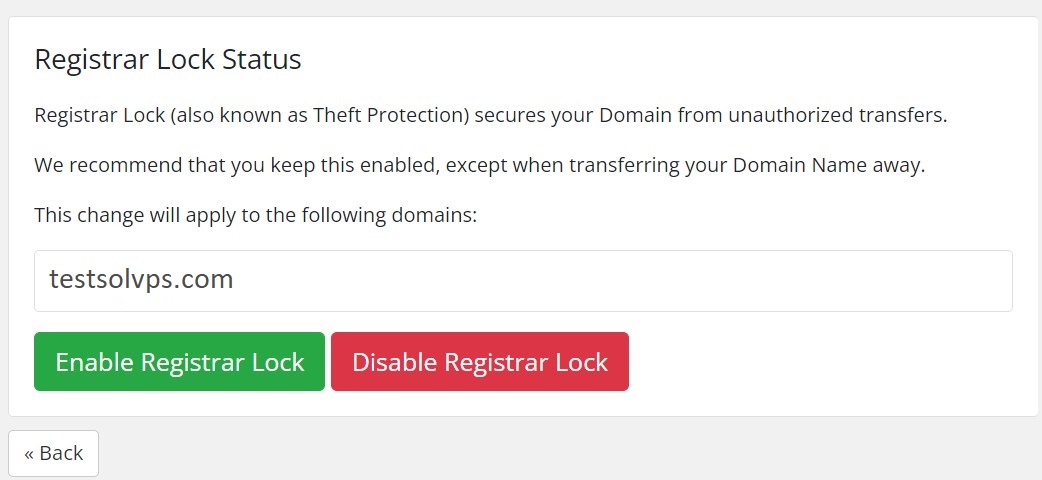
Lock your domain to prevent it from being transferred away without your authorization.
You can manage the registrar lock status by following the instructions below:
1. Log into your Account Portal Area at: https://secure.solvps.com/
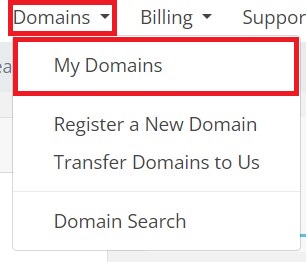
2. Click on Domains, and then My Domains from the top menu bar.
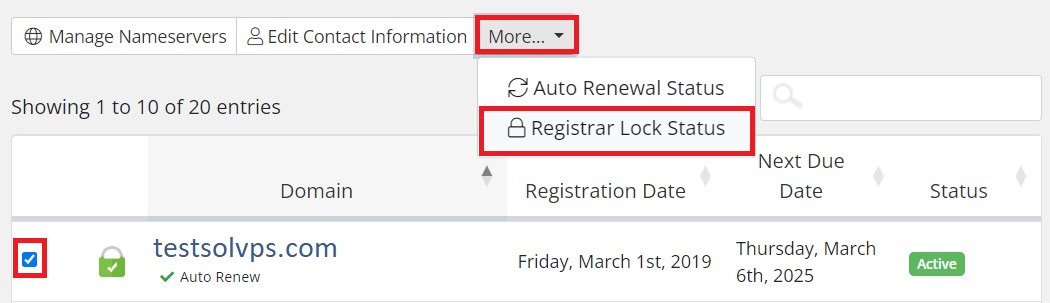
3. Check the box right next to the domain name(s) that you want to Lock/Unlock and click on More > Registrar Lock Status
4. On the Registrar Lock Status page select Enable Registrar Lock to lock the domain name or Disable Registrar Lock to unlock it.